99 Ночей в Лесу Скрипт на Роблокс для телефона и ПК [Авто Фарм Алмазов]
19.09.25 55 997 просмотров
Привет, фанаты Roblox! Ищешь рабочий и бесплатный скрипт для 99 Ночей в Лесу на ...
Этот ресурс можно скачать. Нажмите на кнопку и посмотрите рекламу
loadstring(game:HttpGet("https://gist.githubusercontent.com/adenscripts-roblox-exploits/7f3c5850502b02cbe618847e7234a910/raw/3a35b3b55275bd954a7ec1de24e3a1f11f1e0266/ADENSCRIPTS_DRIVINGEMPIRE.UPD!"))()loadstring(game:HttpGet("https://pastefy.app/xQ3TKX2o/raw"))()loadstring(game:HttpGet("https://raw.githubusercontent.com/ApocHub/ApocHub/refs/heads/main/ApocHubMain"))()loadstring(game:HttpGet('https://raw.githubusercontent.com/CRXYUNCLE/D2/refs/heads/main/D2.lua'))()loadstring(game:HttpGet("https://raw.githubusercontent.com/10cxm/loader/refs/heads/main/src"))()-- [[ MAID DRIVE EMPIRE AUTO FARM ]] --
-- Features: Supersonic Speeds, Hover, Anti-AFK
local CoreGui = game:GetService("CoreGui")
local Players = game:GetService("Players")
local RunService = game:GetService("RunService")
local player = Players.LocalPlayer
local guiName = "MaidDriveAutoFarm_V2"
local old = CoreGui:FindFirstChild(guiName) or player.PlayerGui:FindFirstChild(guiName)
if old then old:Destroy() end
local settings = {
Enabled = false,
Speed = 400,
Height = 50,
TurnSpeed = 2,
}
local ScreenGui = Instance.new("ScreenGui")
ScreenGui.Name = guiName
pcall(function() ScreenGui.Parent = CoreGui end)
if not ScreenGui.Parent then ScreenGui.Parent = player.PlayerGui end
local MainFrame = Instance.new("Frame")
MainFrame.Name = "MainFrame"
MainFrame.Parent = ScreenGui
MainFrame.BackgroundColor3 = Color3.fromRGB(20, 20, 25)
MainFrame.Position = UDim2.new(0.5, 160, 0.5, -100)
MainFrame.Size = UDim2.new(0, 250, 0, 300)
MainFrame.Active = true
MainFrame.Draggable = true
MainFrame.BorderSizePixel = 0
local UICorner = Instance.new("UICorner", MainFrame)
UICorner.CornerRadius = UDim.new(0, 10)
-- Glow/Stroke
local UIStroke = Instance.new("UIStroke", MainFrame)
UIStroke.Color = Color3.fromRGB(80, 80, 150)
UIStroke.Thickness = 2
-- Title
local Title = Instance.new("TextLabel", MainFrame)
Title.Size = UDim2.new(1, 0, 0, 40)
Title.BackgroundTransparency = 1
Title.Font = Enum.Font.GothamBlack
Title.Text = "MAID MONEY FARM"
Title.TextColor3 = Color3.fromRGB(0, 255, 255)
Title.TextSize = 22
local Status = Instance.new("TextLabel", MainFrame)
Status.Position = UDim2.new(0,0,0.15,0)
Status.Size = UDim2.new(1,0,0,20)
Status.BackgroundTransparency = 1
Status.TextColor3 = Color3.fromRGB(150,150,150)
Status.Text = "Idle..."
Status.Font = Enum.Font.Gotham
local ToggleBtn = Instance.new("TextButton", MainFrame)
ToggleBtn.Position = UDim2.new(0.1, 0, 0.25, 0)
ToggleBtn.Size = UDim2.new(0.8, 0, 0, 45)
ToggleBtn.BackgroundColor3 = Color3.fromRGB(255, 60, 60)
ToggleBtn.Font = Enum.Font.GothamBlack
ToggleBtn.Text = "START FARM"
ToggleBtn.TextColor3 = Color3.new(1,1,1)
ToggleBtn.TextSize = 20
Instance.new("UICorner", ToggleBtn).CornerRadius = UDim.new(0,8)
local SpeedBtn = Instance.new("TextButton", MainFrame)
SpeedBtn.Position = UDim2.new(0.1, 0, 0.5, 0)
SpeedBtn.Size = UDim2.new(0.8, 0, 0, 30)
SpeedBtn.BackgroundColor3 = Color3.fromRGB(60,60,70)
SpeedBtn.Text = "Speed: 400 (Fast)"
SpeedBtn.TextColor3 = Color3.new(1,1,1)
SpeedBtn.Font = Enum.Font.GothamBold
Instance.new("UICorner", SpeedBtn)
local HeightBtn = Instance.new("TextButton", MainFrame)
HeightBtn.Position = UDim2.new(0.1, 0, 0.65, 0)
HeightBtn.Size = UDim2.new(0.8, 0, 0, 30)
HeightBtn.BackgroundColor3 = Color3.fromRGB(60,60,70)
HeightBtn.Text = "Height: 50 Studs"
HeightBtn.TextColor3 = Color3.new(1,1,1)
HeightBtn.Font = Enum.Font.GothamBold
Instance.new("UICorner", HeightBtn)
local CloseBtn = Instance.new("TextButton", MainFrame)
CloseBtn.Position = UDim2.new(0.1, 0, 0.85, 0)
CloseBtn.Size = UDim2.new(0.8, 0, 0, 30)
CloseBtn.BackgroundColor3 = Color3.fromRGB(30,10,10)
CloseBtn.Text = "UNLOAD"
CloseBtn.TextColor3 = Color3.fromRGB(255,80,80)
CloseBtn.Font = Enum.Font.Gotham
Instance.new("UICorner", CloseBtn)
local speedIndex = 2
local speedPresets = {
{100, "Slow"},
{200, "Average"},
{300, "Fast"},
{400, "Superspeed"},
{500, "Supersonic"},
{600, "Hyperspeed"},
{700, "Godspeed"}
}
SpeedBtn.MouseButton1Click:Connect(function()
speedIndex = speedIndex + 1
if speedIndex > #speedPresets then speedIndex = 1 end
local preset = speedPresets[speedIndex]
settings.Speed = preset[1]
SpeedBtn.Text = "Speed: " .. preset[1] .. " (" .. preset[2] .. ")"
end)
ToggleBtn.MouseButton1Click:Connect(function()
settings.Enabled = not settings.Enabled
if settings.Enabled then
ToggleBtn.BackgroundColor3 = Color3.fromRGB(60, 255, 100)
ToggleBtn.Text = "RUNNING..."
else
ToggleBtn.BackgroundColor3 = Color3.fromRGB(255, 60, 60)
ToggleBtn.Text = "START FARM"
local char = player.Character
if char then
local hum = char:FindFirstChild("Humanoid")
if hum and hum.SeatPart then
hum.SeatPart.AssemblyLinearVelocity = Vector3.new(0,0,0)
hum.SeatPart.AssemblyAngularVelocity = Vector3.new(0,0,0)
end
end
end
end)
CloseBtn.MouseButton1Click:Connect(function()
settings.Enabled = false
ScreenGui:Destroy()
end)
RunService.Stepped:Connect(function()
if not settings.Enabled then return end
local char = player.Character
if not char then return end
local humanoid = char:FindFirstChild("Humanoid")
if not humanoid then return end
local seat = humanoid.SeatPart
if seat and seat:IsA("VehicleSeat") then
Status.Text = "Active: " .. settings.Speed .. " spd"
Status.TextColor3 = Color3.fromRGB(0, 255, 100)
local vehicle = seat.Parent
local root = (vehicle:IsA("Model") and vehicle.PrimaryPart) or seat
local look = root.CFrame.LookVector
root.AssemblyLinearVelocity = Vector3.new(look.X * settings.Speed, 0, look.Z * settings.Speed)
local currentPos = root.Position
if currentPos.Y < settings.Height then
root.AssemblyLinearVelocity = root.AssemblyLinearVelocity + Vector3.new(0, 50, 0)
elseif currentPos.Y > settings.Height + 10 then
root.AssemblyLinearVelocity = root.AssemblyLinearVelocity - Vector3.new(0, 10, 0)
else
root.AssemblyLinearVelocity = Vector3.new(root.AssemblyLinearVelocity.X, 0, root.AssemblyLinearVelocity.Z)
end
root.AssemblyAngularVelocity = Vector3.new(0, settings.TurnSpeed * 0.1, 0)
seat.Throttle = 1
else
Status.Text = "Sit in vehicle!"
Status.TextColor3 = Color3.fromRGB(255, 100, 100)
end
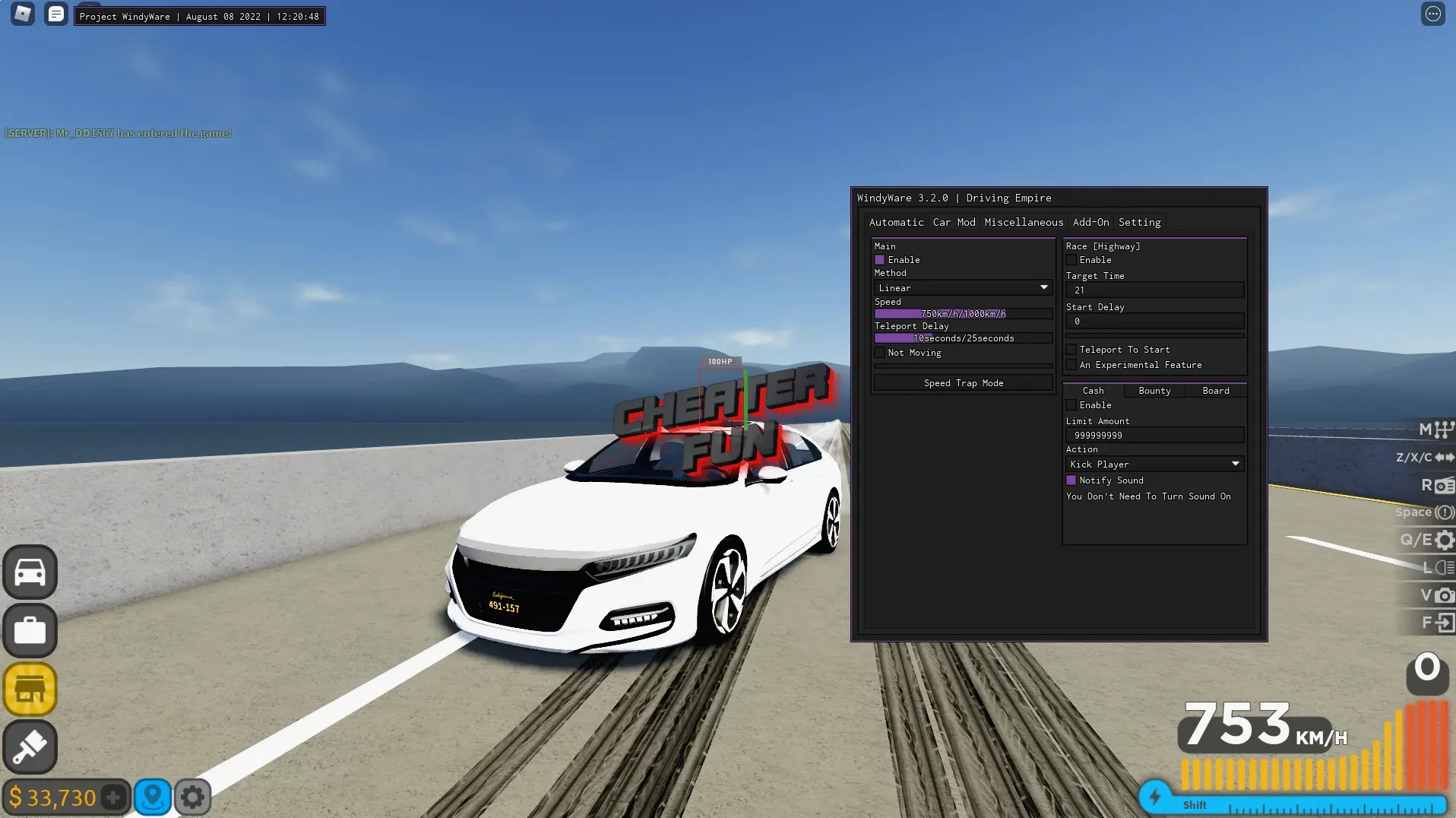
end)loadstring(game:HttpGet("https://raw.githubusercontent.com/gumanba/Scripts/main/DrivingEmpireEvent"))()loadstring(game:HttpGet("https://raw.githubusercontent.com/10cxm/loader/refs/heads/main/src"))()loadstring(game:HttpGet("https://raw.githubusercontent.com/gumanba/Scripts/main/DrivingEmpireLEGO"))()This is a great script with which you will have more gaming opportunities in Driving Empire, I use it myself personally and everything suits me. For example, there is a speed multiplier with which the speed of your car will be much higher than that of other players, stopping transport at any time, working AutoFarm, jumpPower and other functions.
| Плюсы | Минусы |
|---|---|
| Очень быстрый фарм денег | Иногда нужно получать ключ (Key System) |
| Работает на ПК и телефонах | Визуальные баги при слишком высокой скорости |
| Много функций в одном меню |
В некоторых версиях (например, IceWare или Aden Hub) может потребоваться ключ, который берется через Discord разработчика или их сайт.
Да, этот скрипт отлично работает на Android через инжекторы Delta, Arceus X и другие аналоги.
В Driving Empire античит не очень строгий, но мы рекомендуем использовать функции без фанатизма, чтобы не получать жалобы от других игроков.
Убедись, что твой инжектор обновлен до последней версии и ты правильно скопировал весь текст кода.
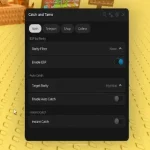
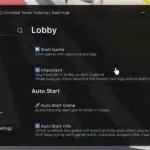

![99 Ночей в Лесу Скрипт на Роблокс для телефона и ПК [Авто Фарм Алмазов]](https://joyverse.ru/wp-content/uploads/2025/09/image-26_1.webp)
19.09.25 55 997 просмотров
Привет, фанаты Roblox! Ищешь рабочий и бесплатный скрипт для 99 Ночей в Лесу на ...
![Скрипт на Мир Денди в Роблокс без ключа [ВХ, ТРОЛЛИНГ, ФЕЙКИ]](https://joyverse.ru/wp-content/uploads/2025/10/image-48.webp)
Что за игра Dandy’s World [ALPHA] в Roblox? Dandy’s World — это захв...
![Скрипт на Блокс Фрукт (БФ) Роблокс Без Ключа [АВТО ФАРМ]](https://joyverse.ru/wp-content/uploads/2025/10/image-33.webp)
Если вы фанат Блокс Фрукт или же БФ, и хотите быстро прокачаться, то скрипт без ...